Dior on your phone
Book in a few taps, keep every appointment in one place and get a notification when a time opens up. Free, for iPhone and Android.
The app is made for returning clients. Instead of finding your way around the website, you open it from your home screen, choose a service and a free time, and that is it. It installs in under a minute and takes up almost no space.
You opened this page inside Instagram or Facebook, where installing is not possible. Tap ⋯ at the top right, choose “Open in browser” and continue there.
Your phone
iPhone and iPad
- Open dior.si/app in Safari.
- Tap Share (bottom centre or top right).
- Choose Add to Home Screen and confirm with Add.
- Open Dior from your Home Screen and turn on notifications under Me.
Notifications work on iOS 16.4 or later, once you open the app from the Home Screen.
Your phone
Android
- Open dior.si/app in Chrome.
- Tap Install on the app banner, or choose Install app in the ⋮ menu.
- Open Dior from your home screen and turn on notifications under Me.
Prefer an installation file? Download the Android app.
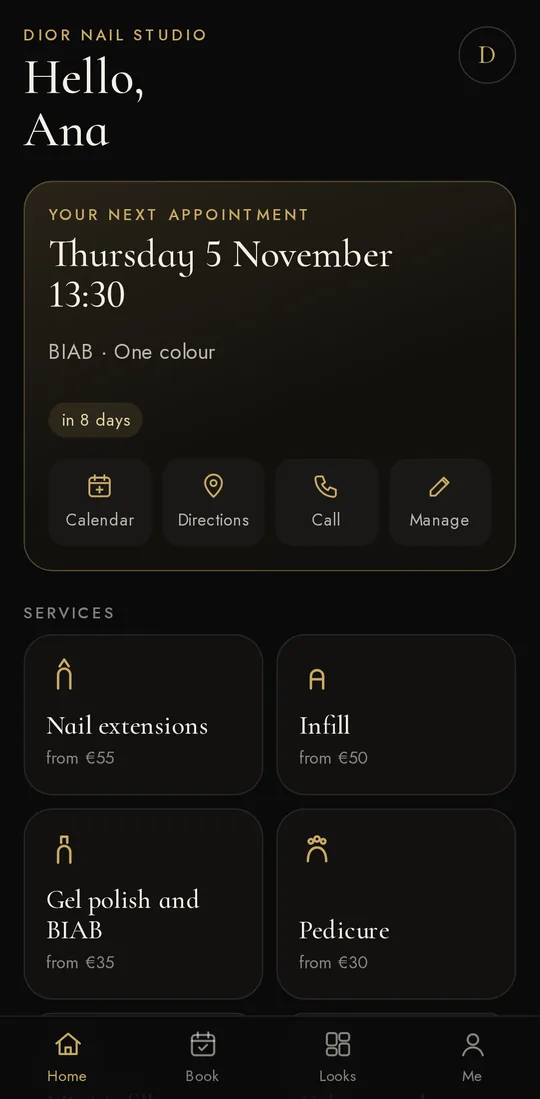
Your next appointment, directions and a call in one tap 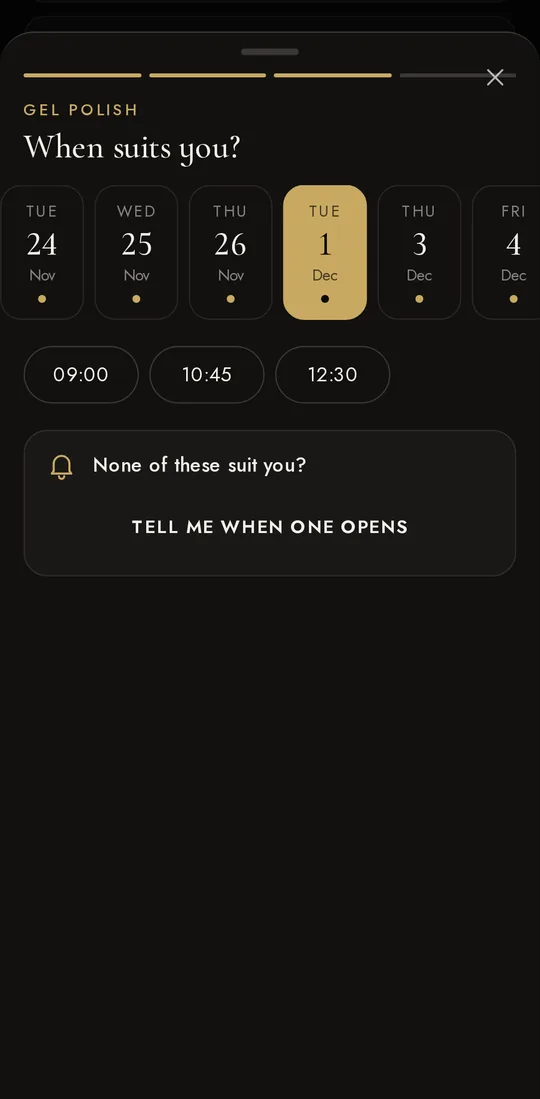
Free times, with no calling and no waiting 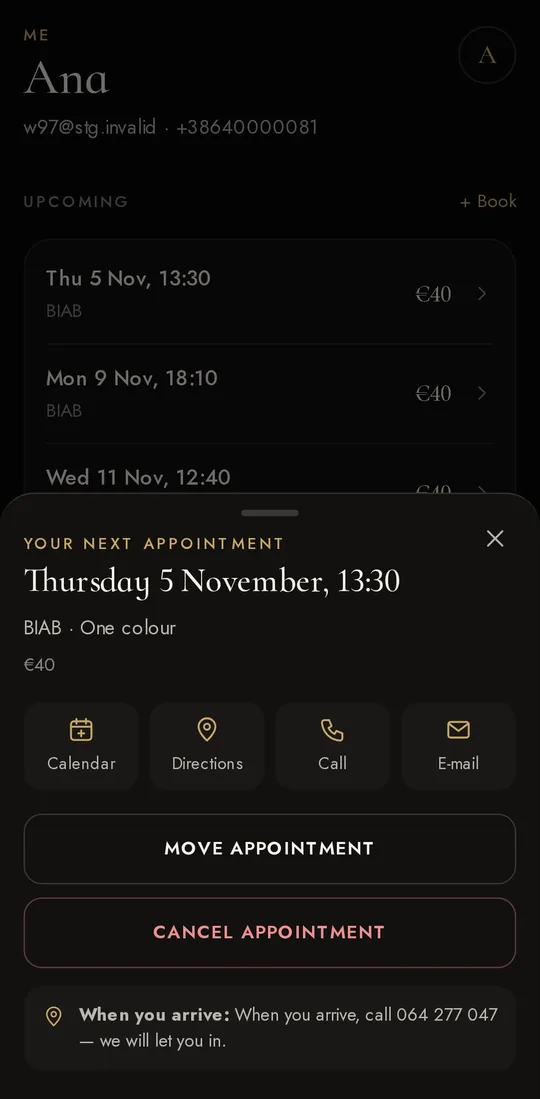
Move or cancel an appointment yourself 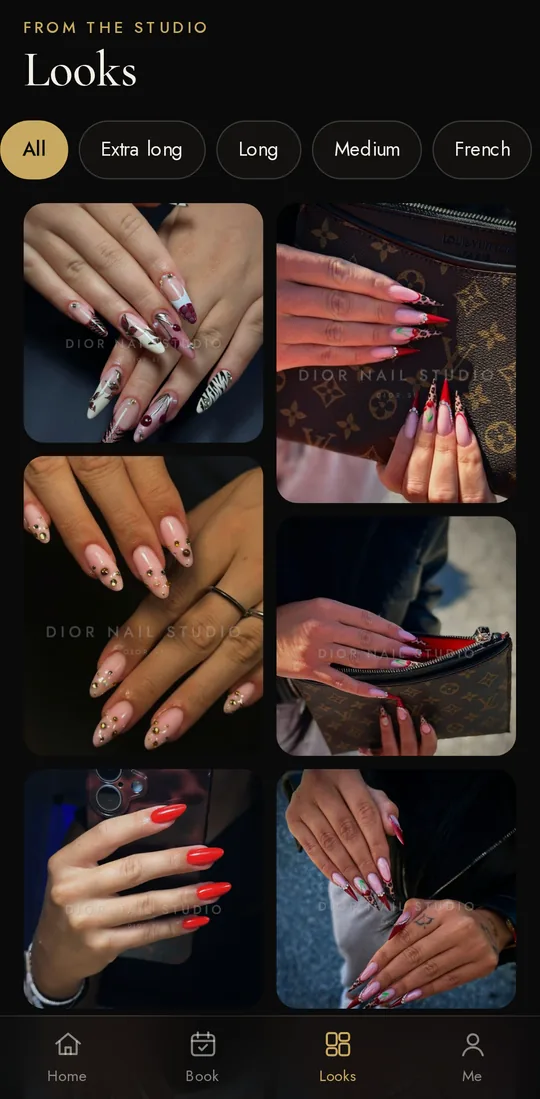
Our work, sorted by length 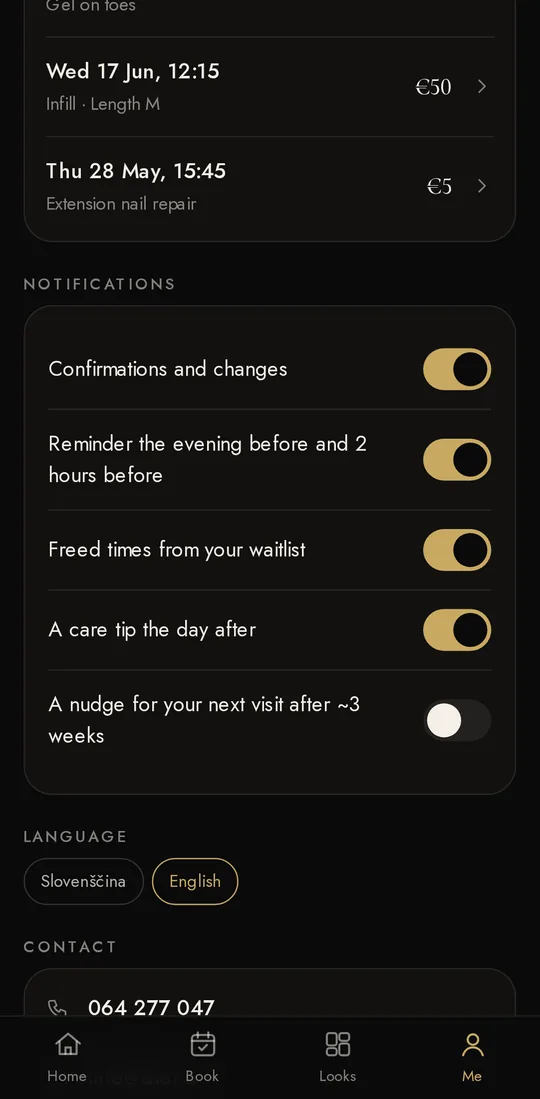
You choose which notifications you get
What you can do in the app
- Book in four steps: service, design, a free time and confirmation. You can see free times without signing in.
- Sign in without a password. We send you a code by text or email. You stay signed in for as long as you use the app, updates included. You only sign in again after 90 days without opening it.
- Keep every appointment in one place, with buttons for your calendar, directions to the studio and a call.
- Move or cancel an appointment yourself, up to 24 hours before it. After that, call us on 064 277 047. What applies to late cancellations is in the terms.
- Let us know you are running late. On the day, up to 3 hours before, tell us in one tap how many minutes late you will be.
- Join the waitlist. If no time suits you, choose a period. When a time in it opens up, we notify you; it goes to whoever confirms first.
- Book the same again as last time, in one tap.
- Browse our work in looks sorted by length, and get care tips after your visit.
Notifications that matter
The app sends notifications about your appointments and about free times that suit you. No adverts and no promotions.
- Confirmations and changes: when an appointment is confirmed, moved or cancelled.
- A reminder the evening before and 2 hours before.
- Attendance confirmation: two days before, we ask you to confirm with one tap. The deadline is 24 hours before the appointment, when free cancellation also ends.
- A freed time from your waitlist, first to whoever joined the list first. If notifications are off, we send it by email.
- A care tip the day after your visit.
- A suggestion for your next visit when it is due, with free times, and a freed time when one opens up just then. At most one of these a week, each with a “Stop these” option.
You can switch each kind off separately under Me. Reminders and tips are never sent before 8:00 or after 21:00.
Installing on iPhone
On iPhone the app installs from Safari, not from the App Store. It behaves like any other app: it has its own icon, opens full screen and sends notifications.
- Notifications on iPhone need iOS 16.4 or later, and only work when you open the app from the Home Screen, not from Safari.
- If you use Chrome or Edge, it works the same way: Share, then Add to Home Screen.
- If you cannot see Add to Home Screen, scroll down the Share menu, or tap Edit Actions and add it.
Installing on Android
Chrome is the quickest way, as described above: Chrome installs the app and keeps it up to date. If you would rather install it from a file, download it here.
App signature (for checking)
Package si.dior.app, certificate SHA-256:
8E:55:26:AF:B2:F9:AA:01:3E:AA:34:0F:6D:B9:C6:FB:EE:AA:E3:C3:69:5A:9B:8C:A8:35:B6:1B:3C:ED:1B:A0
- Tap Download for Android. Chrome may warn that the file might be harmful; it shows this for every app from outside the Play Store. Tap Download anyway.
- Open the downloaded file. The first time, your phone asks whether to allow installs from this source: open Settings and turn on Allow from this source.
- Tap Install. If Google Play Protect suggests scanning the app, accept.
- Open Dior and turn on notifications under Me.
The app from the file opens the same app as Chrome, with the same data. It gets new features by itself, because its content loads from dior.si.
Privacy
The app has no adverts and does not track what you do in other apps. For notifications it uses your phone’s own service (Apple or Google), which only sees that a notification arrived. The details are in the privacy policy, under The app and notifications.
Questions
Is the app free?
Yes. You only pay for the service in the studio, as before.
Do I need an account?
Not to browse services, looks and free times. When you confirm a booking, you sign in with a code. If you do not have an account with us yet, you create one right in the app.
What about the deposit on a first visit?
Your first appointment is confirmed with a €20 deposit, deducted from the price. You pay it by card on the website, and the app takes you there. There is no deposit after that.
Why is the app not in the App Store or on Google Play?
Because it is our own app, made for the clients of Dior Nail Studio rather than for the general public. Store apps are there for anyone to find and download; ours is meant for people who book with us, so we share it directly, from this page.
A store is not needed either. The app is built on the web standards Apple and Google support for exactly this kind of app: on iPhone it installs from Safari, on Android from Chrome or as a file from this page. It has its own icon, opens full screen and sends notifications.
- Always the latest version. It updates itself when you open it, with no waiting for store approval and nothing to update by hand. You stay signed in through updates.
- No Apple or Google account needed, and it takes up almost no space.
- It stays between you and the studio. No middleman, no adverts and no third-party trackers.
I am not getting notifications. What should I do?
In the app, open Me and check that notifications are on. Then check the phone settings for Dior notifications, and Focus or Do Not Disturb. On iPhone, the app has to be opened from the Home Screen.
Does it work without signal?
It opens and shows your last saved appointments. Booking and changes need a connection.
How do I remove the app?
Like any other: press and hold the icon and choose Remove. Your account and appointments stay, and the website recognises you as before.